Estate sales are our new family hobby. At the last one I grabbed an HP Photosmart A610 for $7, a little photo printer from 2006 that prints 4×6 directly from a memory card. Flip up screen, one cartridge, one job. I did powered it on during estate sale to make sure at least it’s working, then I search the room to see if I could find some paper which I did!!
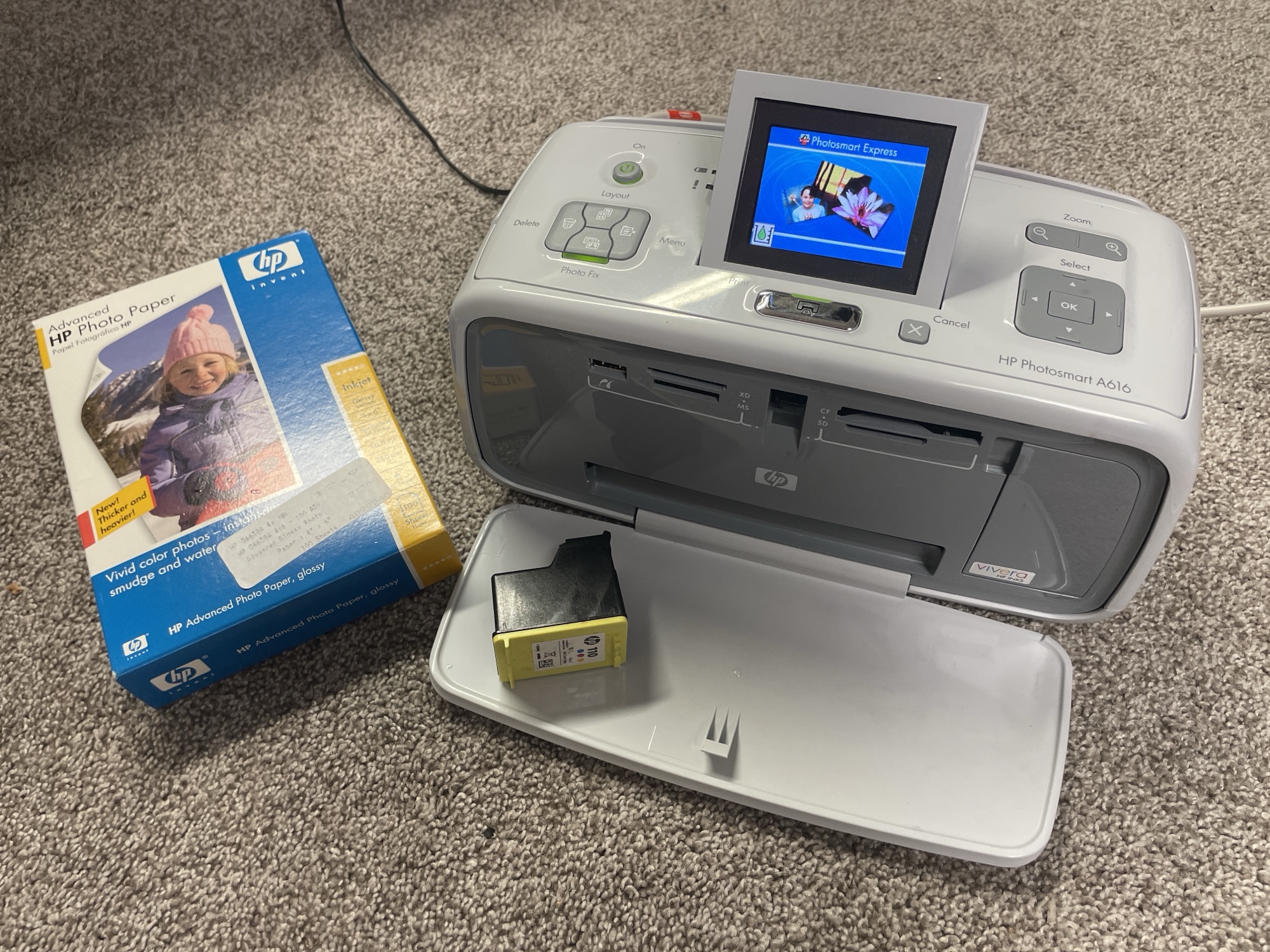
Spoiler: the HP Photosmart A610 driver for Windows 11 exists, it’s just buried.
Fix 1: the hardware
It didn’t print at first. The previous owner had inserted the cartridge incorrectly. I’ve only ever owned laser printers, so this became my crash course on how inkjets actually work and how to clean the nozzles and contacts. The old cartridge was done anyway. One fresh HP 110 later, the hardware was solved.
Fix 2: Windows says no
Windows 11 recognized the printer by name, then showed the modern death sentence: Driver is unavailable. The Find drivers button did nothing. Windows Update, nothing. Two other Windows laptops, same result. Then my old Mac printed a photo in under a minute. So the printer was fine, Microsoft just stopped serving the driver, everywhere. And HP erased the software from their website years ago.
Man vs AI vs driver
I’ll be honest about how this got solved: it was an AI assisted repair, and it was not pretty.
Round one was ChatGPT 5.5 Pro Extended, multiple tries. It kept me looping between Have Disk, DOT4 packages from the Microsoft Update Catalog, and “try Windows Update.” Its own confession at the end:
I repeatedly told you to use driver packages from the Microsoft Catalog without verifying the extracted .inf files actually contained the HP Photosmart A610, which led you into the wrong LaserJet M575 driver and wasted your time.
Yes, The driver bundled inside the package labeled “Photosmart A610” is actually for an HP LaserJet 500 M575, a giant office copier. Wrong printer in the box, and nobody checked what was inside before installing.
Round two: I read that Claude Fable 5 was back online, so I tried it on the Max plan. It burned a good part of my evening too, at one point sending me after yet another 14 MB catalog package that turned out to be more plumbing. The turning point was when it started verifying what was actually inside a file before telling me to install it. That is what finally cracked the case.
The fix that worked
The original 2007 Vista software still survives on the DriversCloud mirror: SF_CDA_Full_Non-Network_enu_NB.exe, 96 MB, MD5 940CB021FFAAA9CFB9A581A8CDACDC69.
Downloading old exe files from mirror sites is normally a terrible idea, so the rules were strict: verify the hash, never run the exe, extract it with 7-Zip, and let Windows check HP’s digital signature during install.

A tampered file gets rejected loudly. Inside is a 41 KB file called hppipnss.inf, a signed HP driver covering the whole 2006 Photosmart family. One command in an admin PowerShell:
pnputil /add-driver .\hppipnss.inf /install
save a copy somewhere, HP already deleted this file once
Unplug the USB, plug it back in, and the printer came alive. First photo printed a minute later. You have to select 4×6 for paper size.
What’s next
Total cost: $7 and a $30 cartridge, and a 19 year old printer stays out of the landfill. I do see some marking on a few prints, probably the rubber pick rollers leaving their trace after two decades. Cleaning them is the next job, replacing them if that fails. That’s a future post.
And yes, this entire article is AI generated too with little human touch up. Go figure.